
What does a visitor still need to know?
Someone on a product page usually knows what product they are looking at. Another general brand message may not help. They might need to see its scale, how a feature starts or what happens when it is used. Begin with the question the page has not answered yet.
For a physical product, the answer may be a movement or a use case. For software, it is often one journey through the interface. If the film only repeats the existing photos with music, it may add very little to the page.
DAYLIGHT: from component to purpose.
My self-initiated DAYLIGHT concept begins at solar panels, moves to a home battery and ends in a lit room after dusk. It does not try to explain every technical specification. It makes a connection between the source, the product and its use visible.
This is one visual idea for a product page, not a real client integration or evidence of higher conversion. A real product must be shown with its actual functions and approved claims. Buyers' questions would determine which of these scenes belong in the final film.
A connection, not three product shots.
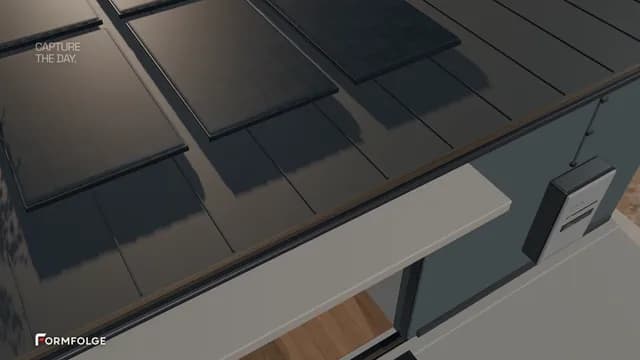
Source
Solar panels show where the energy begins.
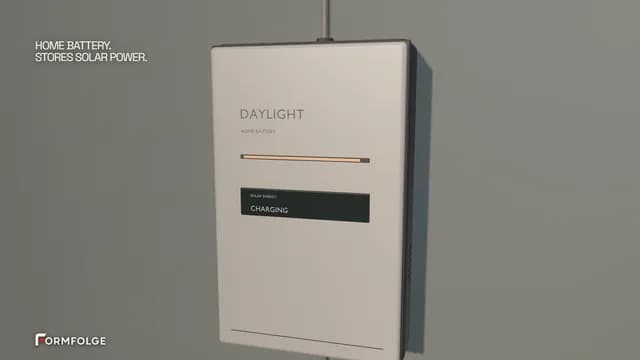
Product
The camera reaches the home battery and charging display.
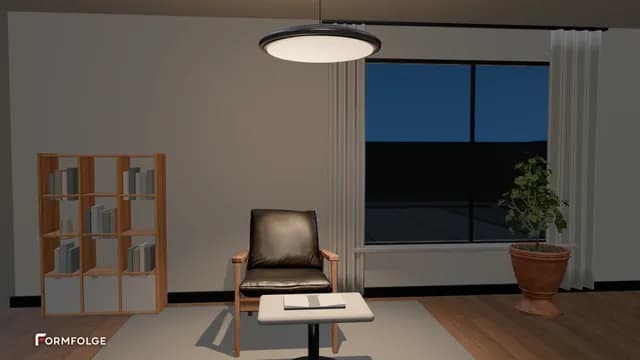
Use
The light after dusk connects the product to its purpose.
Place the film where the question arises.
A short film showing form and use may work beside the product images. A more detailed demonstration might belong next to the explanation it supports. No single placement is automatically right for every shop or website. The page should remain understandable without playing the video.
A clear poster should tell viewers what they are about to watch. Product details and text must remain legible on mobile. Avoid making visitors download a large film before they choose to see it; a lightweight preview and deliberate playback protect the page experience.
Do not put every question in one film.
A product page can answer several questions, but one short film should have a recognisable main task. An overview, a detailed use case and a technical explanation may work better as separate films. Visitors can then find the part they need without waiting through a long sequence.
Plan which scenes can stand on their own. A main film can yield short cuts for the product gallery, an email or an ad. That is easier when copy and important product details have room in the intended formats from the start.
Measure the film's contribution honestly.
Plays and watch time show whether visitors use the film. Enquiries, adds to cart or purchases show whether the whole page meets its goal. An improved metric after adding a video does not, by itself, prove that the video caused the change; the offer, traffic and page may also have changed.
With enough traffic, you can compare the page with and without the film in a controlled test. Qualitative questions help too: do new visitors understand the product faster, and what do they still ask? The answer may be to improve the film, move it or explain a missing detail in copy.
Do not add motion to a product page for its own sake. Show what someone still needs to understand before making an enquiry or purchase.
DAYLIGHT is a self-initiated FORMFOLGE studio concept. A sample page built around it is not a client website or a measured sales result.